Car Title Lookup by VIN: How to Check a Vehicle’s Title History
Car Title Lookup by VIN: How to Check a Vehicle’s Title History
[caption id="attachment_386" align="aligncenter" width="150"]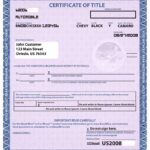 Car Title Paper for sale[/caption]
When buying or selling a used car, one of the most important steps is performing a car title lookup by VIN. This process allows you to verify whether a vehicle has a clean title, a branded title, or if it's been reported stolen or salvaged.
In this guide, we’ll walk you through:
- What a VIN number is
- Why you should perform a title lookup by VIN
- Where and how to do it (free and paid tools)
- Interpreting the results
- And tips to avoid fraud
🚗 What Is a VIN?
A Vehicle Identification Number (VIN) is a 17-character alphanumeric code that serves as a unique identifier for every registered vehicle in the U.S.
You can find the VIN in several places:
- On the driver’s side dashboard (visible through the windshield)
- On a sticker in the driver’s side door jamb
- On the vehicle registration or insurance documents
- On the vehicle’s title
🔍 Example VIN:
1FMXK82W6JGC45678
🔍 Why Perform a Car Title Lookup by VIN?
A title lookup by VIN helps uncover critical information about a vehicle’s past, including:
- Whether it has a clean title or a branded title (e.g., salvage, rebuilt, flood-damaged)
- If it has been reported stolen
- Whether it has an active lien
- The vehicle’s ownership history
- Any odometer rollback issues
This information protects buyers from scams and ensures sellers are transparent about their vehicle’s condition.
🌐 Where to Do a Free Car Title Lookup by VIN
Here are the most reliable platforms for checking a vehicle’s title status:
1. NMVTIS.gov – National Motor Vehicle Title Information System
The official federal database is managed by the U.S. Department of Justice.
Features:
- Shows salvage, junk, and theft records
- Covers all 50 states
- Free access
👉 Visit NMVTIS.gov
2. NICB Free VIN Check
Offered by the National Insurance Crime Bureau, this tool checks for theft and salvage records.
👉 NICB VIN Check Tool
3. State DMV VIN Lookup Tools
Most state Department of Motor Vehicles (DMVs) offer free online tools to look up title status using a Vehicle Identification Number (VIN) .
Steps to Use:
- Visit your state’s DMV website
- Find the “Vehicle Records” or “Title Lookup” section
- Enter the VIN and follow the prompts
📘 Example:
- California DMV VIN Lookup
- Texas DMV Title Check
- Florida DMV VIN Search
💡 Paid Vehicle History Reports (More Detailed)
For more in-depth reports—including accident history, maintenance records, and ownership changes—consider purchasing a report from these services:
📌 Tip: Some dealerships provide free Carfax or AutoCheck reports for their used cars.
🧾 How to Run a Title Lookup by VIN (Step-by-Step)
Here’s how to perform a complete VIN-based title lookup :
Step 1: Get the Vehicle’s VIN
You can find the VIN on:
- The driver’s side dashboard
- Driver’s side door jamb sticker
- Insurance documents
- Registration papers
It’s a 17-character number usually starting with 1, 4, or 5.
Step 2: Run an NMVTIS Report
Go to NMVTIS.gov and enter the VIN to check for:
- Salvage records
- Junk records
- Theft records
Step 3: Get a Carfax or AutoCheck Report
Purchase a vehicle history report to see:
- Accident history
- Maintenance records
- Odometer rollbacks
- Title brand history
Step 4: Check Your State DMV Website
Some details (like current registration or lienholder info) may only be available through your state’s DMV portal.
⚠️ Red Flags to Watch For During a Title Lookup
While reviewing title search results, watch out for these red flags:
If you see any of these signs, proceed with caution and consider getting a pre-purchase inspection.
🧰 How to Interpret a VIN Title Lookup Report
Here’s how to read the key sections of a typical vehicle history report :
Always research the type of branded title before deciding to move forward with a purchase.
📞 Frequently Asked Questions (FAQ)
Q: Can I get a free title lookup online?
A: Yes, through NMVTIS.gov and many state DMV websites.
Q: How much does a Carfax or AutoCheck report cost?
A: Between $25 and $100, depending on the depth of the report.
Q: Does a title lookup show liens?
A: Yes, both NMVTIS and vehicle history reports will show if there are active liens.
Q: Can I run a title lookup without a VIN?
A: No, a VIN is required to accurately perform a title lookup.
Q: What if the title lookup shows nothing?
A: That could mean either:
- The vehicle is new and hasn’t been in any accidents
- Or the report doesn’t include all data (e.g., recent events not yet reported)
In such cases, always double-check using multiple tools.
🛡️ Protect Yourself from Title Fraud
Performing a VIN-based title lookup is one of the smartest things you can do before purchasing a used vehicle. It helps protect you from fraud, hidden damage, and costly legal issues.
With tools like NMVTIS, Carfax, AutoCheck, and state DMV portals, you can easily verify a vehicle’s past and make an informed decision.
🔗 Helpful Resources
- NMVTIS.gov – National Motor Vehicle Title Information System
- Carfax Free VIN Check
- AutoCheck Vehicle Reports
- NICB Free VIN Check
- Your State DMV Website
If you found this guide helpful, share it with someone shopping for a used car or preparing to sell their vehicle. Knowledge is power when it comes to vehicle titles!


Comments
Post a Comment